Using the Privacy Manager
This tool allows you to delete data, modify data, and even create fake data.
Don't let your smart home be a snitch
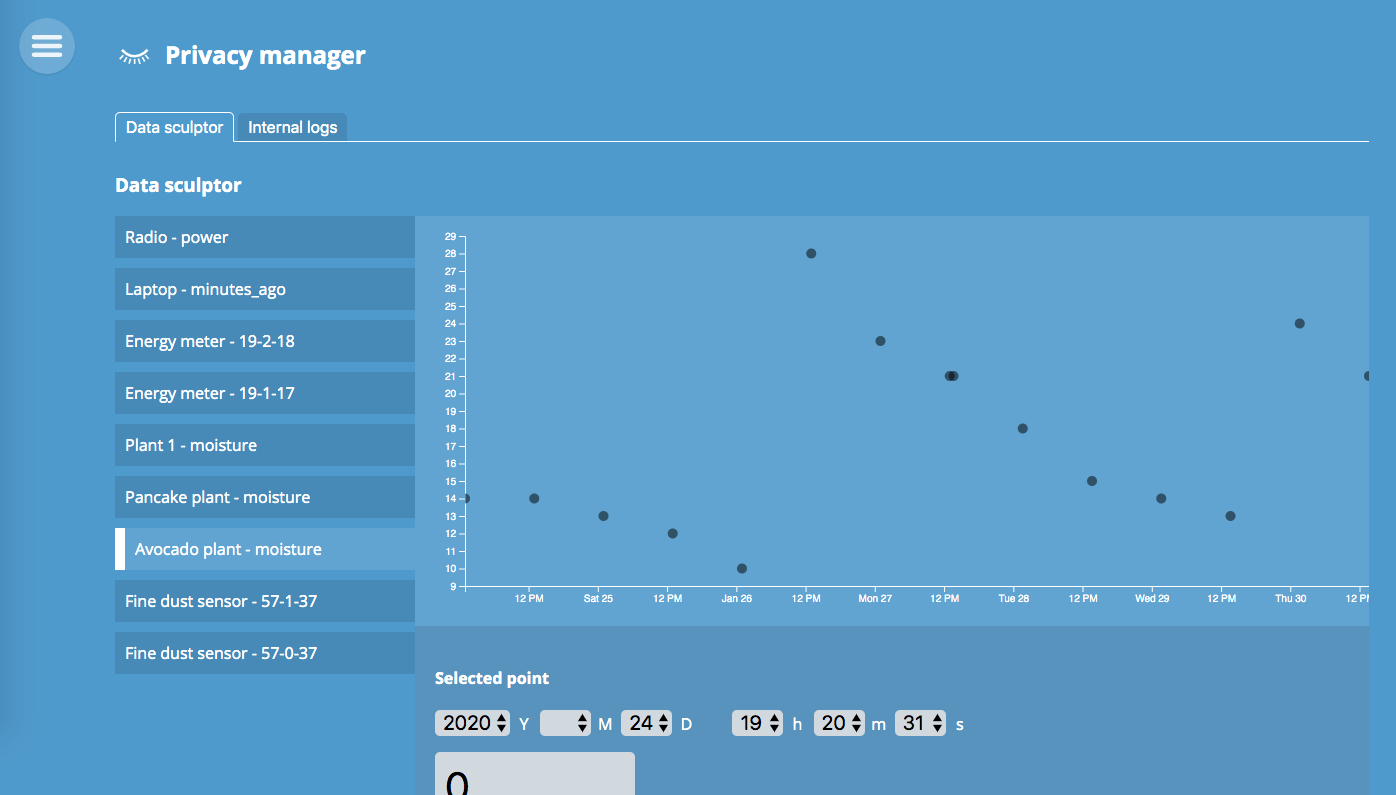
1. Select a data point
Once you have the Privacy Manager add-on installed, it will offer you a view such as the one shown above.
1.The first step is to select a log from the list on the left.
2. Then click on a specific datapoint. You can zoom in it you want.
3. You will now see details about the selected data point.
2. Modify the data
Once you have selected a data point you can manipulate it in a number of ways:
Delete data
Is a motion sensor revealing the arrival of guests for a surprise party? Quickly remove the data. You can even delete a whole range of data points.
Change value or time
Is a motion sensor revealing you were out late buying an engagement ring? Then pretend you arrived home straight from work by manipulating the data.
Create new fake data
We all need to pretend sometimes.